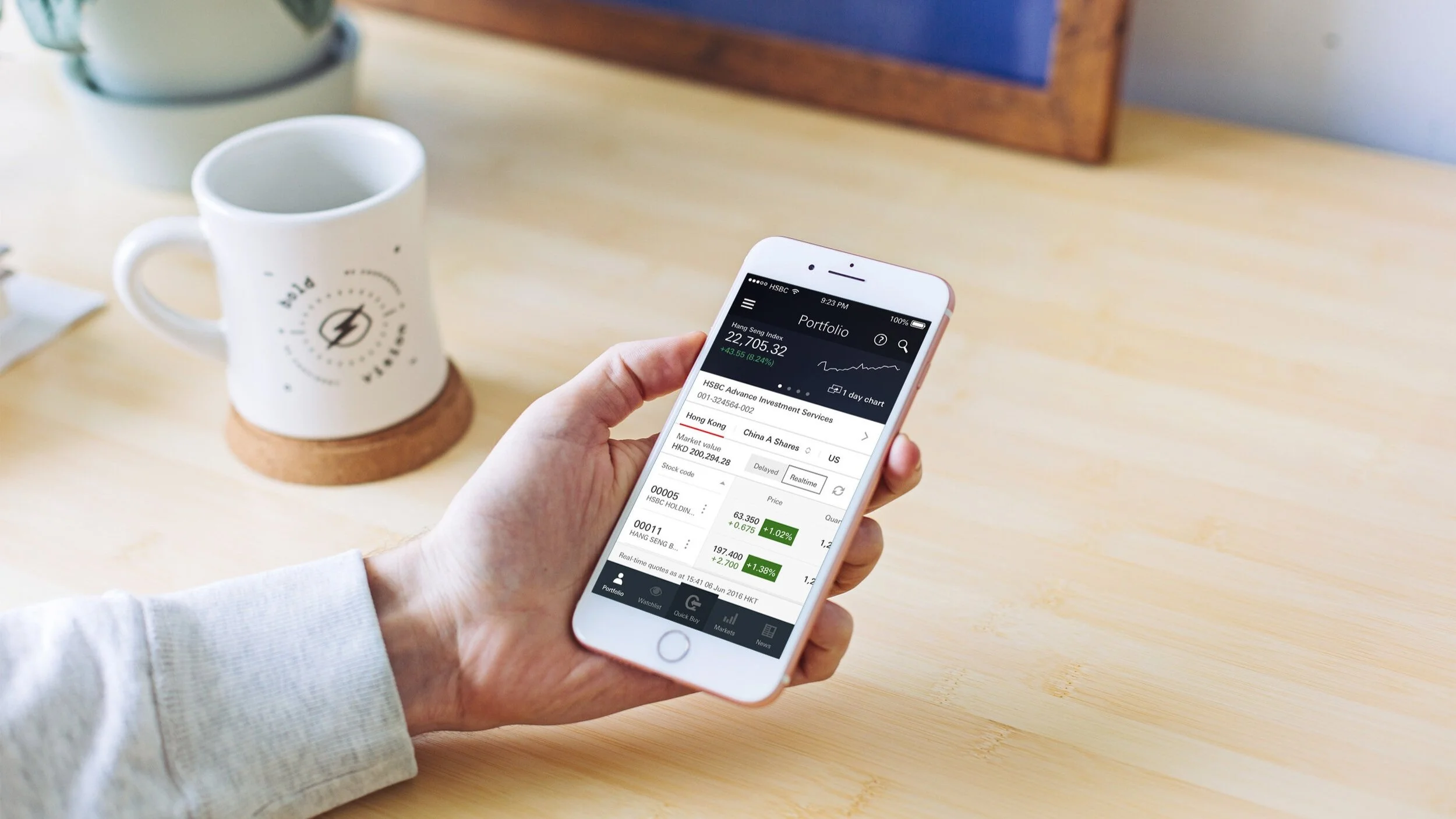
Our client is the largest bank in Hong Kong.
They would like to create a native app for the Hong Kong customers to trade securities and
get free market information across 3 major markets.
Role
UI/UX designer
Year
2016 - 2017
Team
2 BAs / 6 Engineers / 4 Designers
Project management
Scrum
The problem
Efficacy and keep track to the latest news are very important for traders to understand the trend and help them to predict their next move, however currently the bank customers need to switch between apps to get the latest information and buy stocks. Therefore the bank would like to develop an app which allows users to place a trade quickly and stay up-to-date with the latest market information and news.
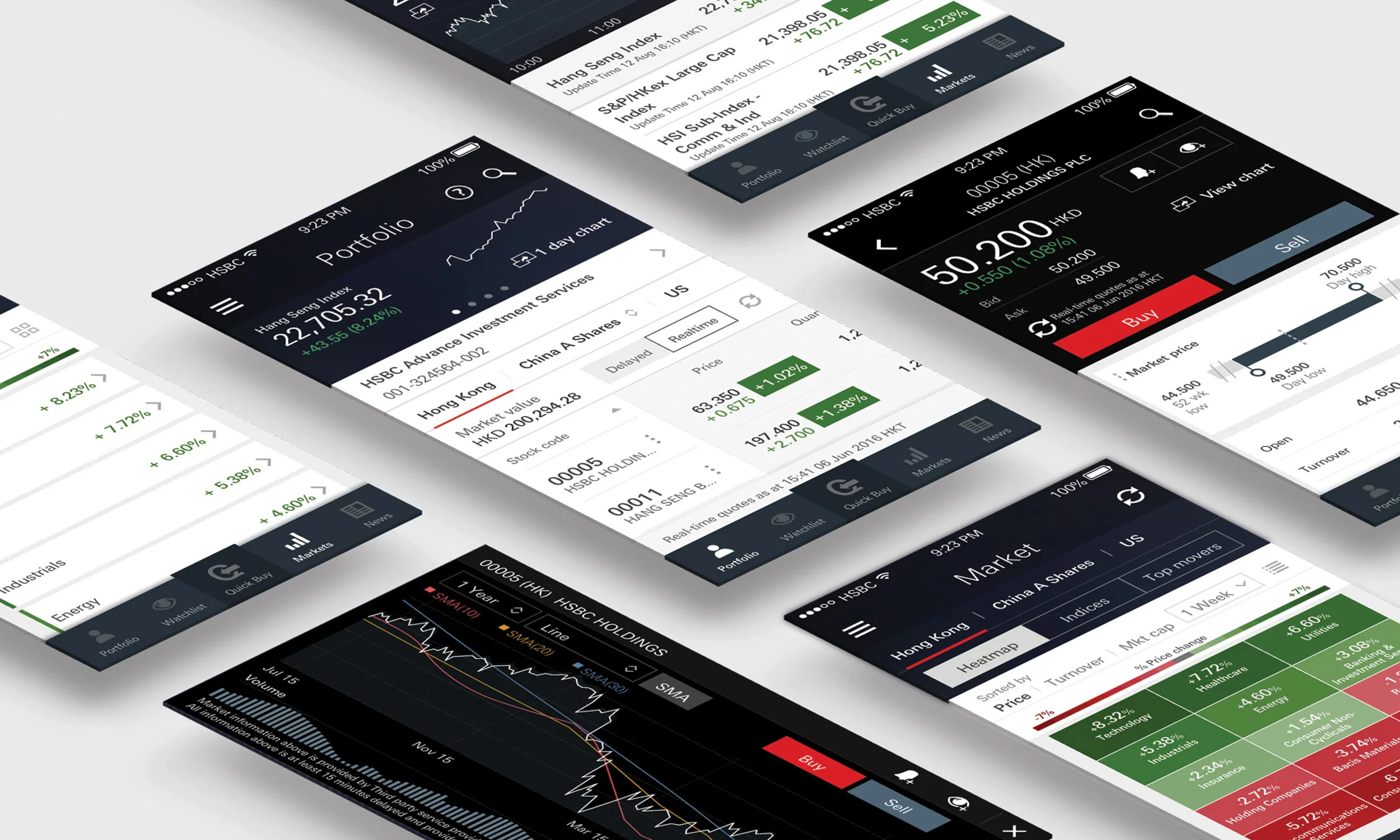
Roles and responsibilities
Revamp from a stock trading hybrid app to a native app. Worked closely with our product owner and the branding team, created a new design language system for our app and being included in the brand guideline.
Design Process
When users place a trade, they need to go through several steps to complete the trade every time. As stock trading requires instant action, therefore we would like to provide a quicker way allowing users to buy stock right away.
We have came up with the idea of pre-filling the details information for the user so that they can place trade within 3 taps.
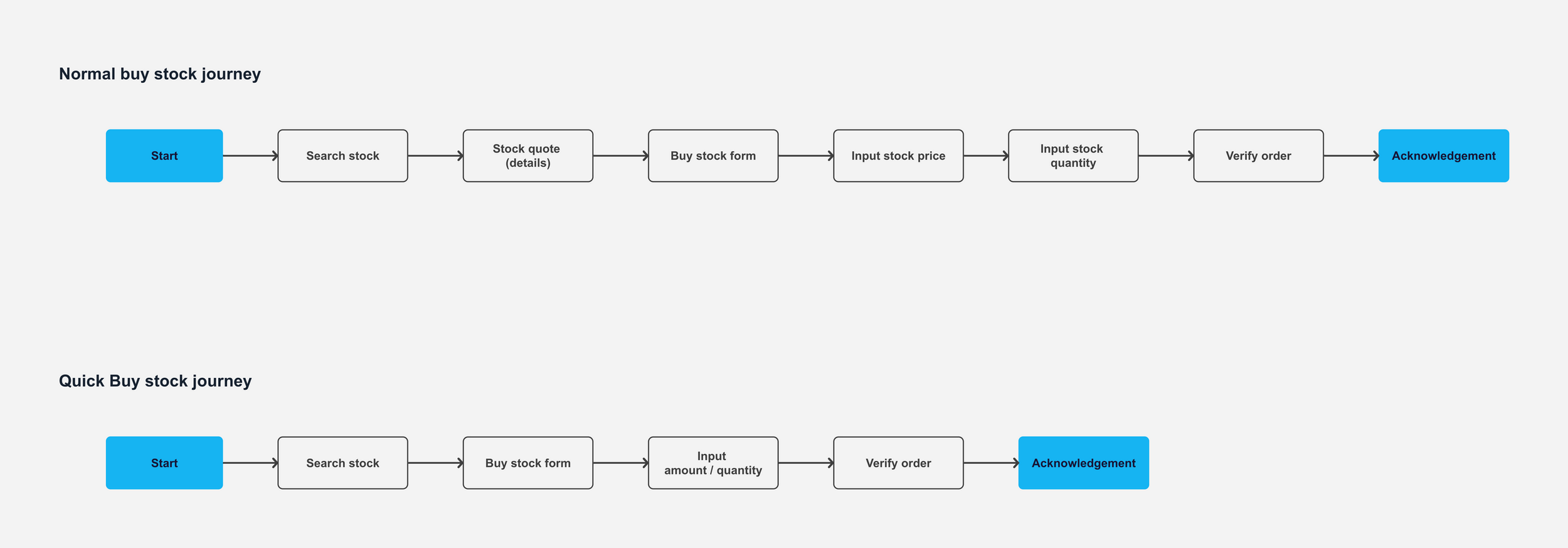
User flow for Buy and Quick Buy journey
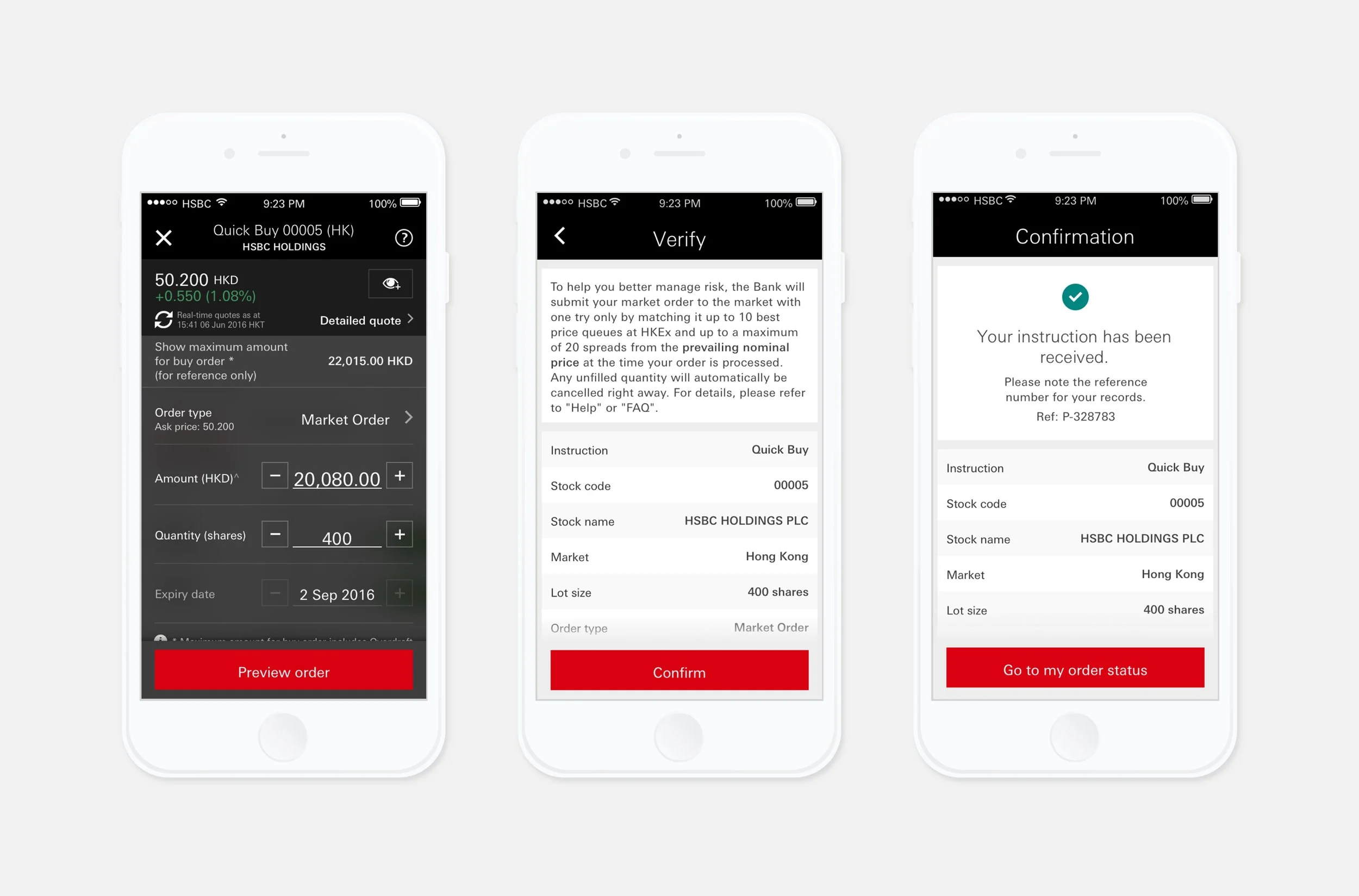
Place order with Quick Buy
In order to evaluate the QuickBuy function, we have conducted 6 usability tests (by Foolproof) which helps us to have a better understanding how the users feel about the new features. All respondents are having positive feedback and appreciate the QuickBuy functions. They are willing to use this as their default purchase method.
“The buttons to change price and quantity are very nice, and there’s a very clear breakdown of information”
The app had launched in 2017 and it won Finance Asia awarded HSBC as “HK Best Broker”.
We have also developed an initial app style guide for the bank.
View in app Store